Data details
The data we handle
When you scan the QR code, your devices exchange a small amount of connection information — similar to exchanging phone numbers.
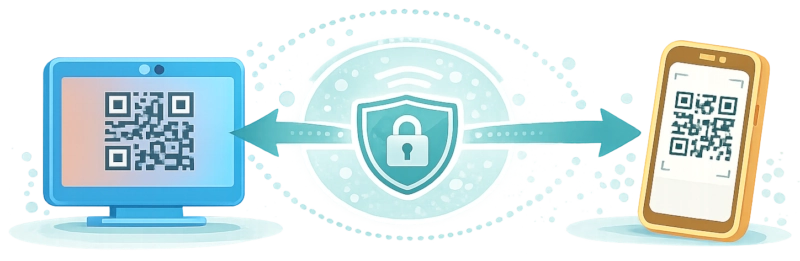
After that, they talk directly to each other over your local network. No video data is sent to PeerLens servers at any point.
What data is exchanged during setup
To establish the connection, PeerLens briefly stores two types of technical data.
Session data (the connection description)
This includes how devices can communicate (for example supported formats), plus connection state and timestamps.
“Here's how I can send video.”
You can access all SDP data inside of your session info modal, available by clicking on your session shorthand in the navbar.
Check out https://webrtchacks.com/sdp-anatomy/ for a detailed breakdown of what all this means.
Connection paths (ICE candidates)
These are temporary options for how devices can reach each other. They include possible network routes, temporary identifiers, and connection hints.
“Here are a few ways you can reach me.”
In case your browser only offers publicly routable candidates, we will inform you about implications and explicitly ask for your consent before proceeding.
How the connection is established
1) Viewer creates a session
A QR code for your session is generated.
We store your viewers SDP data and ICE candidates so they can be relayed to the phone when it connects.
2) Phone joins the session
Scanning the QR code connects the phone to that session.
The phone sends its own SDP data and ICE candidates to PeerLens, which relays them to the viewer.
3) Devices exchange connection info
Both devices do the WebRTC magic and figure out how to connect to each other directly, using the relayed data.
4) Direct connection is established
Once a working path is found, the phone switches to recording and the viewer to streaming mode.
From this point on, PeerLens is no longer part of the media path.
5) Cleanup
ICE candidates (meaning your local IPs) are deleted. The session data (including SDP data) remain as long as your session lasts.
Can I see my data?
Yes! You can see all the data we have for your current session in the session info modal, available by clicking on your session shorthand in the navbar.